


notchify
FeaturedA small developer toolbox that hides in your Mac's camera notch and drops down when you need it.
Hidden until you need it. Gone when you don't.
Runs on your machine. No dock icon, no account.
Overview
The notch on a modern Mac is mostly dead space. Meanwhile the small things a developer reaches for all day (a spot to park a file mid-drag, the last thing you copied, the hex of a color on screen, the process squatting on a port) are scattered across apps, menu bars, and terminal commands. None is hard on its own. Together they add up to a lot of little context switches.
notchify puts those tools in the notch. It stays invisible until you move the cursor up to the notch, then a clean panel drops down with five tabs: Shelf, Clipboard, Format, Tools, and Camera. The panel follows your system appearance, light or dark, and you can also bring it up with a global hotkey (⌥⌘N by default, no Accessibility permission needed). Move away and it tucks back up. There is no dock icon and no menu bar icon, so it stays out of the way until the moment you want it. You open Settings from a gear in the panel to toggle tabs, set launch at login, choose the hotkey, and tune the hover behavior.
Everything runs on your machine. There is no account and nothing leaves your Mac. The only permission it ever asks for is the camera, and only when you open the Camera tab. It runs outside the App Sandbox because it shells out to system tools like lsof and reads the screen for the color picker, so it is distributed directly rather than through the Mac App Store. macOS 14 or later, MIT licensed.
Screenshots
At a glance
- Language
- Swift
- Frameworks
- AppKit + SwiftUI
- Platform
- macOS 14 (Sonoma) or later
- Footprint
- No dock or menu bar icon (LSUIElement)
- Global shortcut
- ⌥⌘N toggles the panel
- Appearance
- Follows system light or dark mode
- Privacy
- Runs on your machine, no account
- Permissions
- Camera only, on open
- Distribution
- Direct download, outside the Mac App Store
- License
- MIT
- Version
- 0.2.0
How it works
Shelf
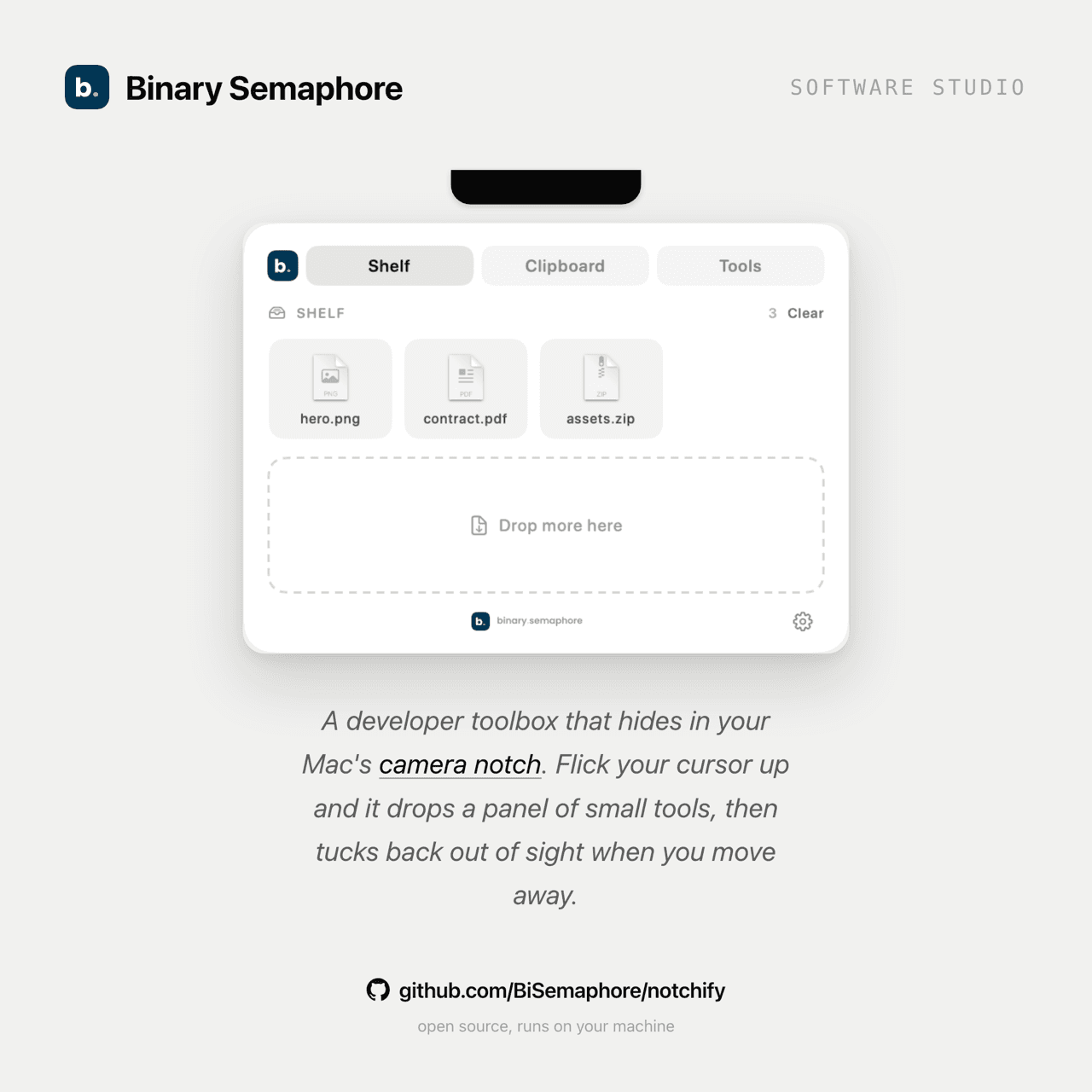
Drag a file onto the notch to park it, then drag it back out into any app later (Finder, Mail, Slack, WhatsApp, VS Code). It survives restarts. Hover a file to remove it, or clear the whole shelf at once.
Clipboard
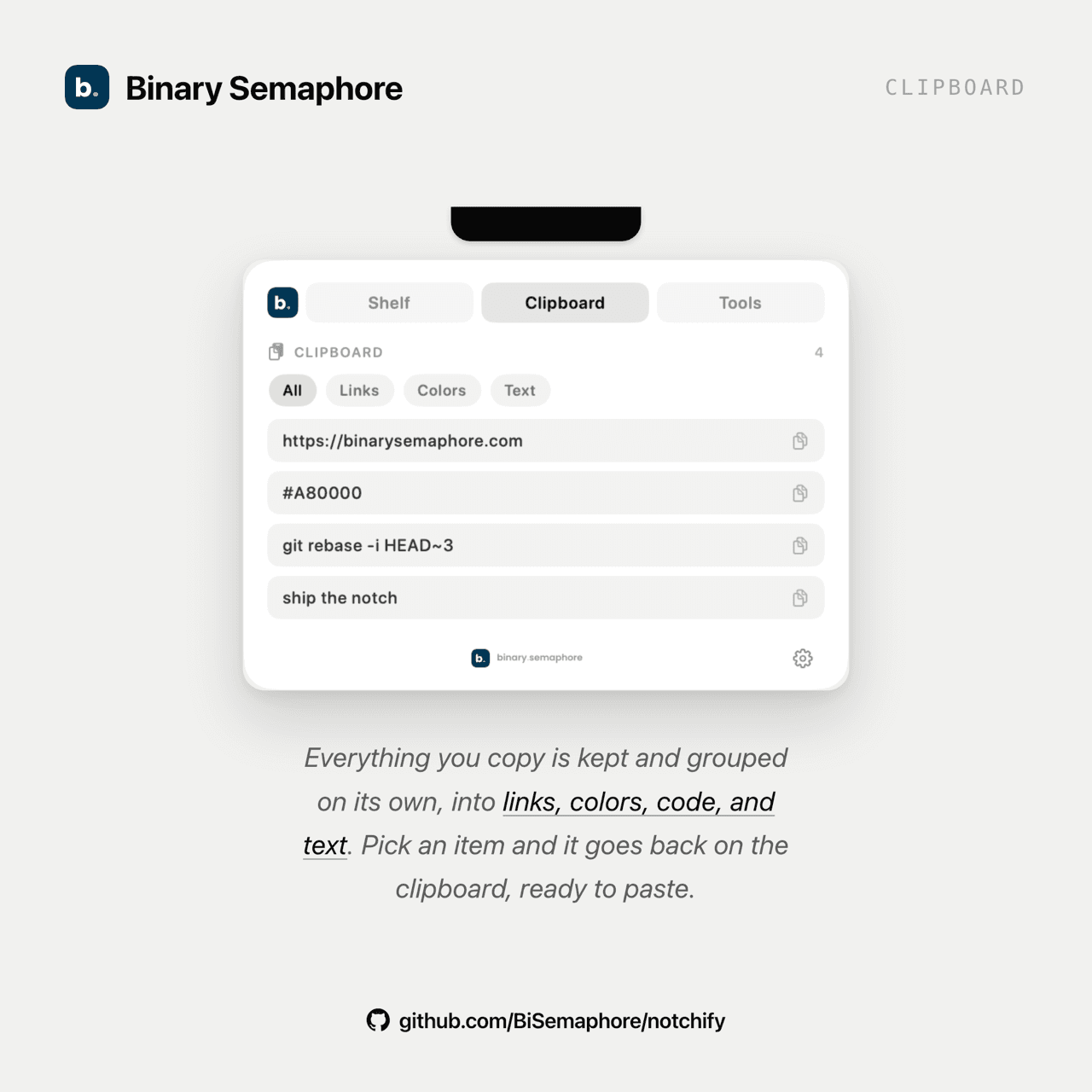
Recent copies, newest first, automatically grouped into links, colors, code, and text. A search box narrows the list and a filter row jumps to one type; clicking an item copies it back. In Settings you choose how many items to keep and whether history persists across restarts (off by default).
Format
Paste text and transform it in place: pretty-print or minify JSON, Base64 encode and decode, or URL encode and decode. It is a plain-text editor with no smart-quote substitution, so what you paste is what you get, and one click copies the result back.
Tools
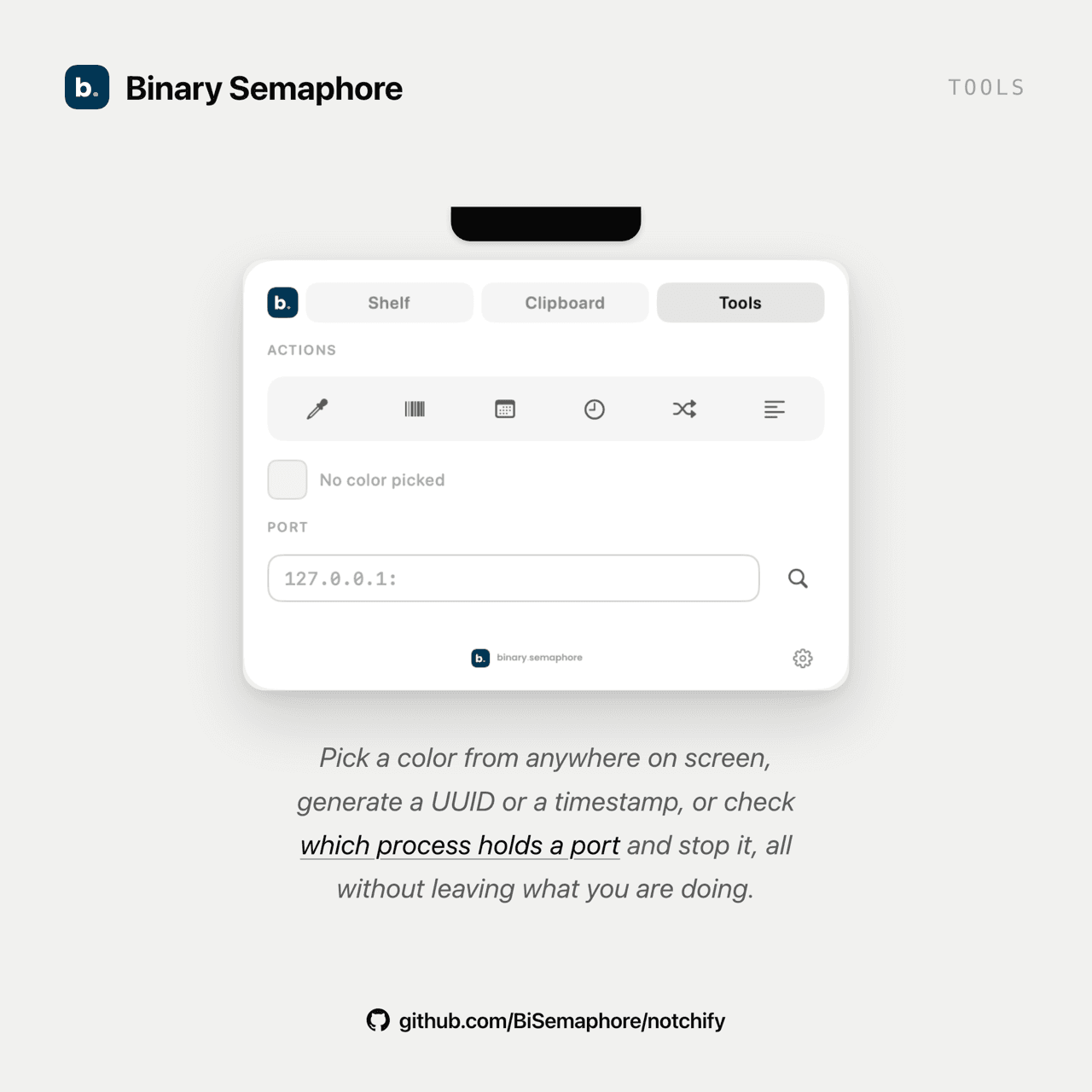
A screen color picker for any pixel's hex, one-click generators for a UUID, a timestamp, a Unix epoch, a random hex, or lorem, and a port peek that shows what is listening on a port and lets you kill it to free the port.
Camera
An optional front-camera mirror for a quick check before a call. Off by default, and it only asks for the camera the first time you open it.
Capabilities
01Lives in the notch, not in your way
notchify is invisible until you move the cursor to the notch, or press a global hotkey (⌥⌘N by default, no Accessibility permission needed), then a panel drops down and tucks back up when you leave. It follows your system light or dark appearance. There is no dock icon and no menu bar icon (LSUIElement), so it never adds clutter; you reach Settings from a gear in the panel or by right-clicking it.
02A shelf that drags into any app
Park a file on the notch mid-task and drag it back out later into Finder, Mail, or Chromium-based apps like Slack, WhatsApp, and VS Code that reject a plain URL. It is built on NSFilePromiseProvider, and the shelf survives restarts.
03Clipboard that sorts itself
Your recent copies are kept newest first and auto-classified into Links, Colors, Code, and Text, with a search box and a filter row to find one fast. Click any item to copy it back. You set how many items to keep and whether the history survives a restart, which is off by default. It is a clipboard you can actually find things in.
04Format text in place
A Format tab for the conversions you would otherwise paste into some website: pretty-print or minify JSON, Base64 encode and decode, and URL encode and decode. It is a plain-text editor with no smart-quote substitution, so what you paste is what you get.
05Runs on your machine
No account, and nothing leaves your Mac. The only permission notchify ever requests is the camera, and only when you open the Camera tab. Each tab can be turned off in Settings, alongside launch at login and the hover behavior.
Want the code?
notchify is open source and built in public.